 Abacalist

 Português
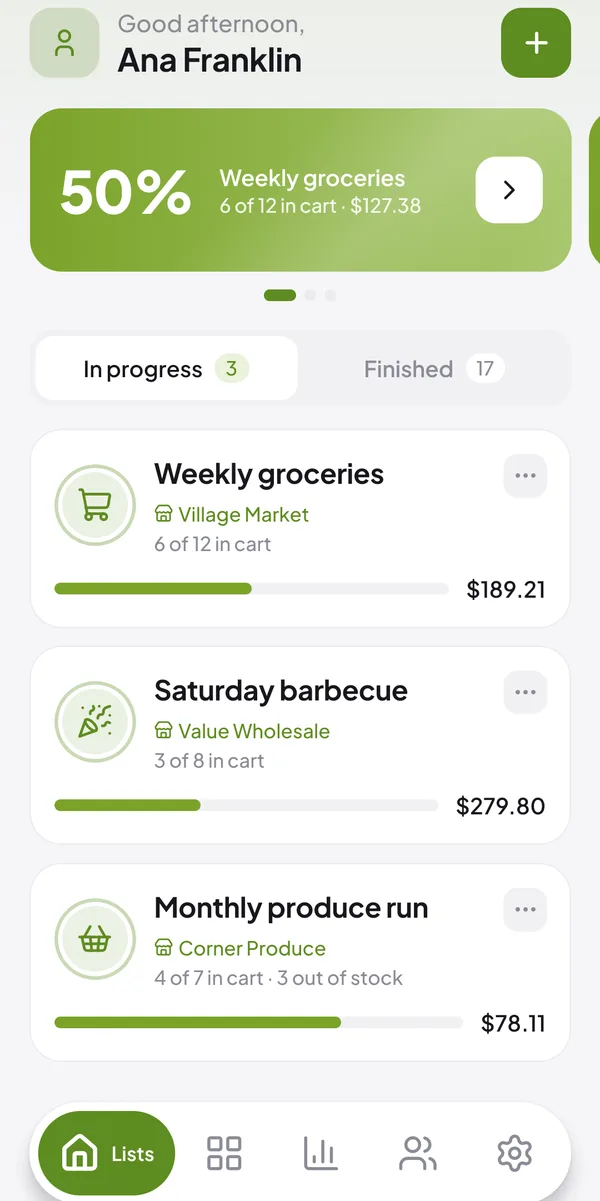
Lists
One list for each shopping trip
Weekly groceries, farmers market, barbecue: each list with its store, date and running total.
See how it works →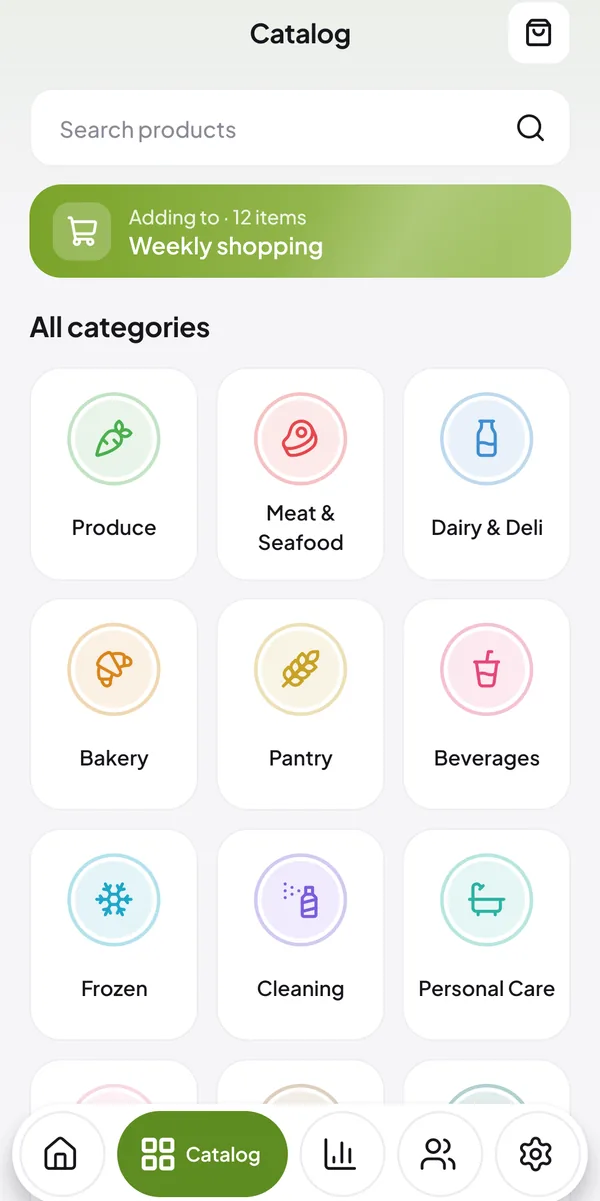
Catalog
Build your list in seconds
Pick products by category. The app sorts everything by store section.
See how it works →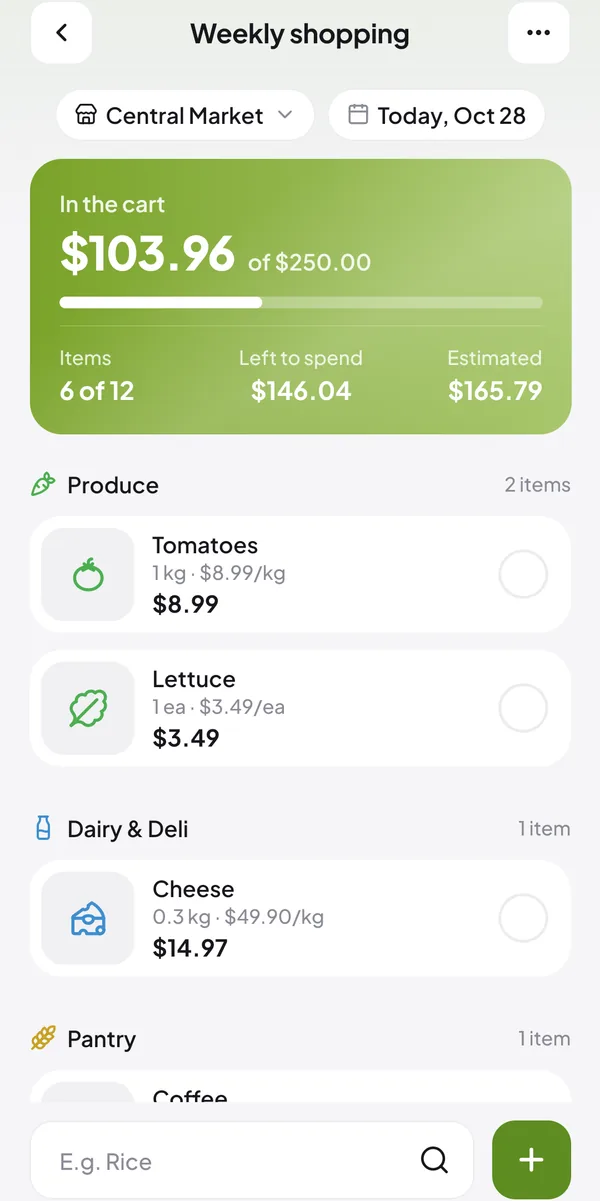
Spending limit
Know how much you have left to spend
Set a limit and watch the total change with every item that goes in the cart.
See how it works →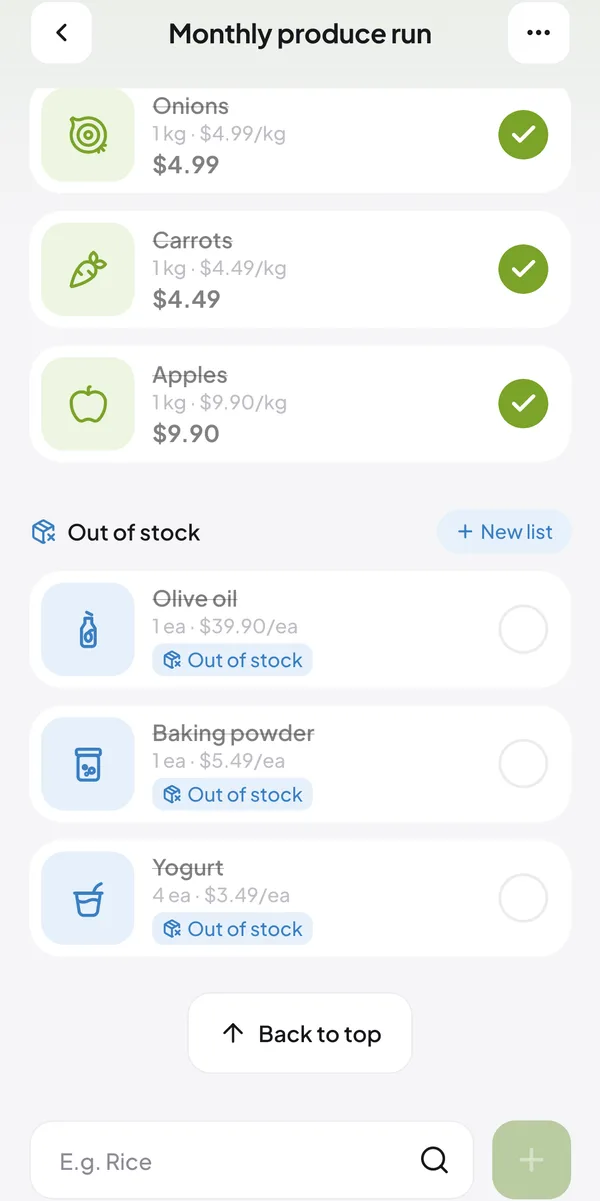
Out-of-stock items
What you couldn't find becomes a new list
Mark the item as out of stock and move it all to another list with one tap.
See how it works →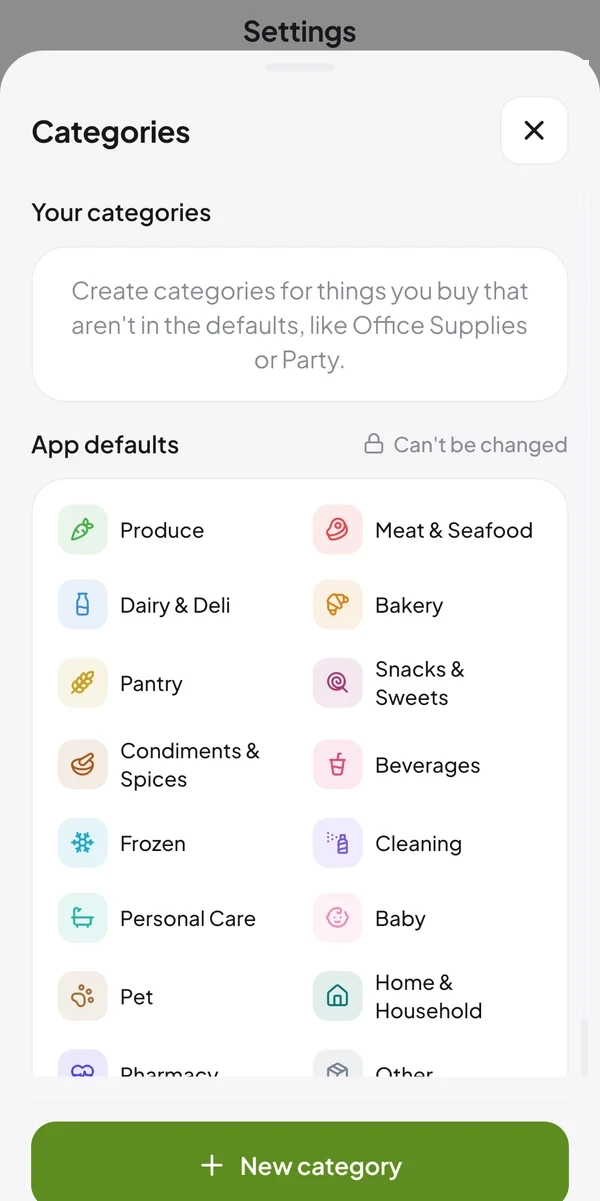
Stores and categories
The way you shop
Save the stores where you shop and create categories for what isn't in the defaults.
See how it works →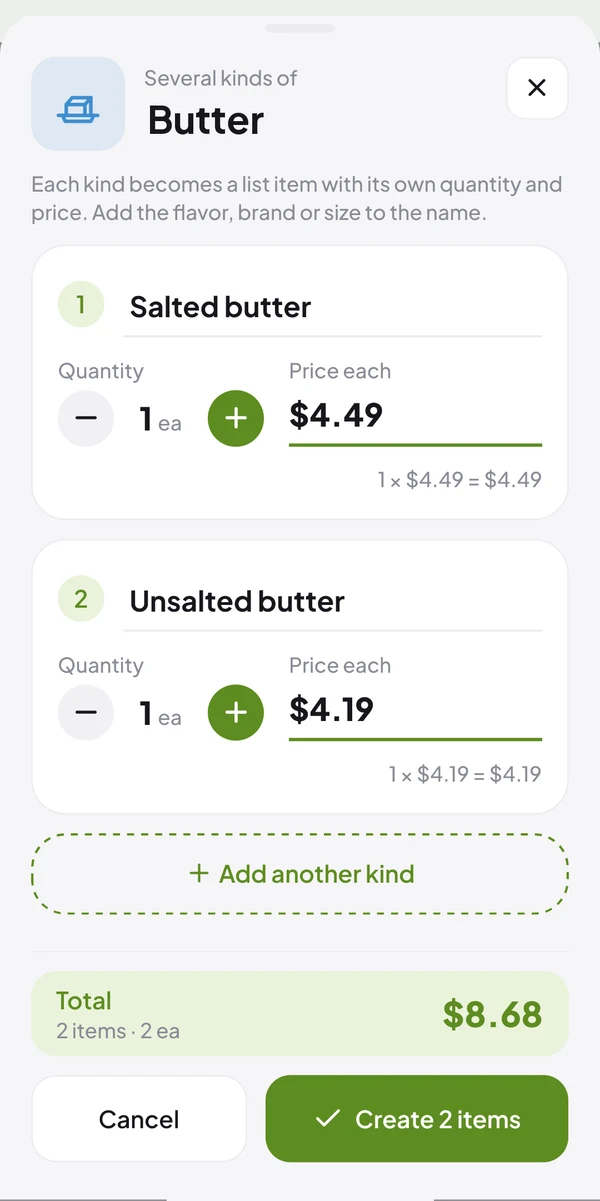
Several kinds
Flavors and brands, each with its own price
Bought the same product in different flavors or brands? Split the item into several, each with its own name and price.
See how it works →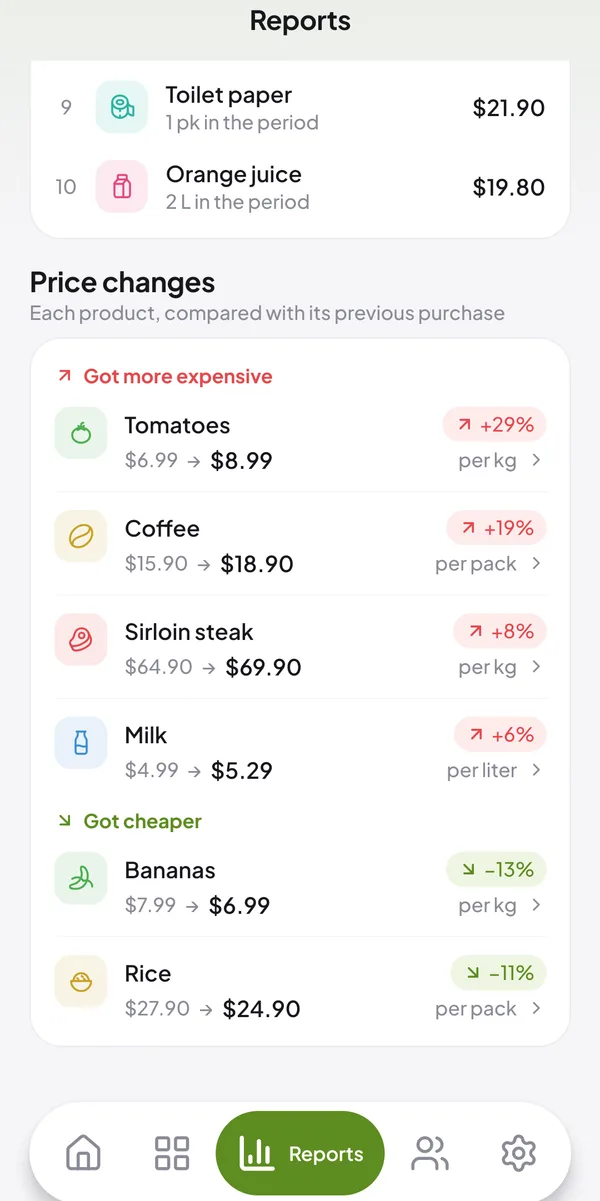
Price inflationPremium
See what went up and what went down
Each product compared with the previous purchase, per kg, liter or unit.
See how it works →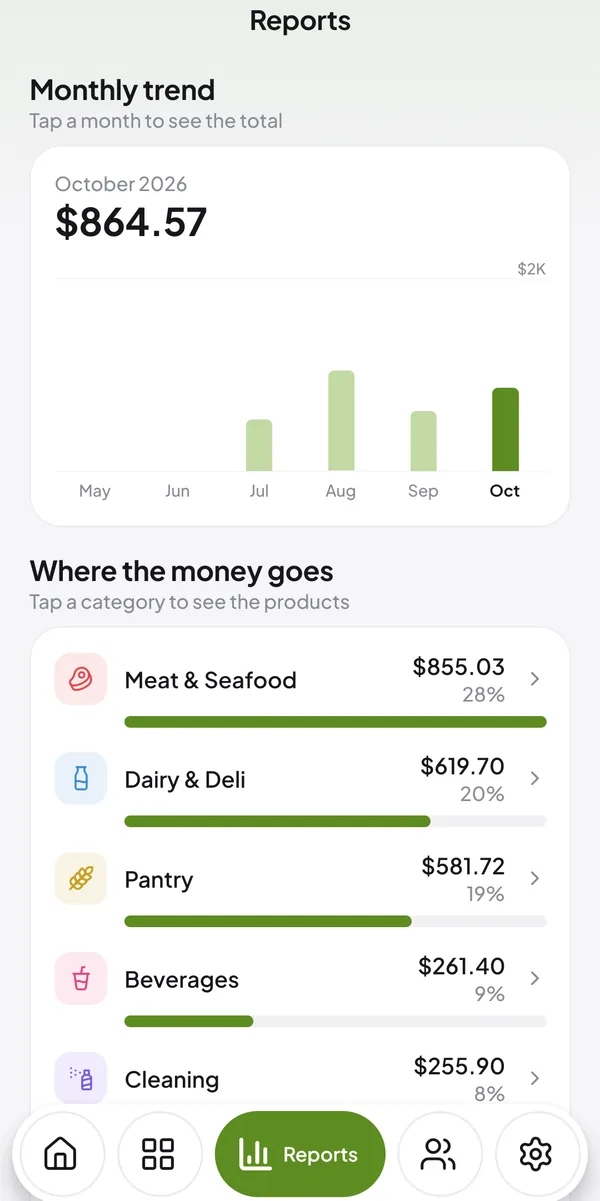
ReportsPremium
Where your money goes
How much you spend each month, by category and at each store.
See how it works →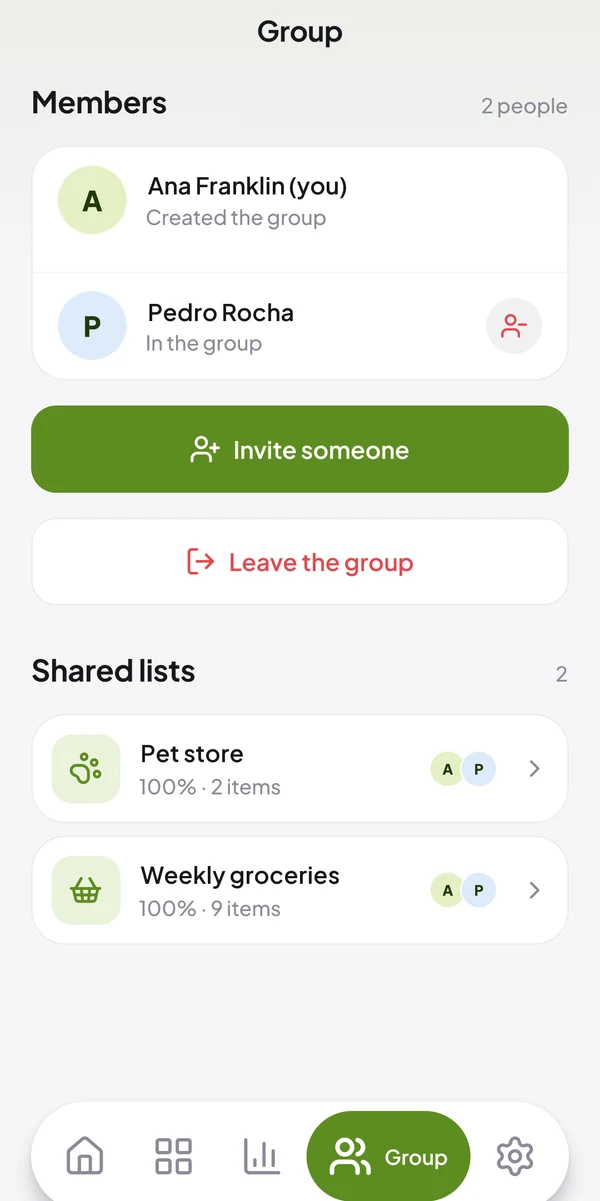
GroupPremium
The whole household on one list
Each from their own phone, seeing right away what the others added and who put in each item.
See how it works →